

Optimize Your Internet Speed with Strategic Router Placement Discover how the right placement of your router can significantly enhance your internet speed and overall connectivity. Unlock the full potential of your home network by following expert tips on optimizing router positioning for maximum performance.
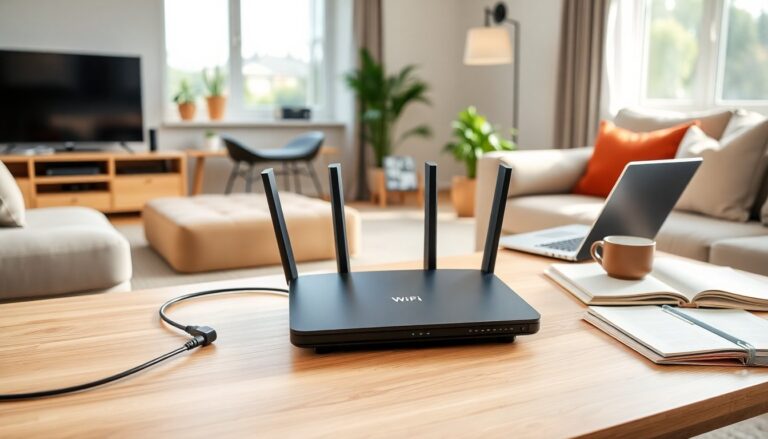
In the digital age, a reliable internet connection is essential for both leisure and work. Many individuals experience frustration with slow Wi-Fi speeds, particularly when streaming movies or engaging in remote work. One often-overlooked factor that can significantly enhance internet performance is the placement of Wi-Fi routers.
It is crucial to recognize the various household devices that may interfere with a router’s functionality. Experts have identified specific appliances that could undermine network effectiveness, leading to slower speeds and interruptions.
The facts
Many people are unaware of how everyday items can disrupt Wi-Fi signals.
A common culprit is devices operating on similar radio frequencies, which can lead to performance issues. For example, Bluetooth devices, including popular smart speakers like Amazon Alexa or Google Home, are frequently found in modern homes and can interfere with Wi-Fi connections.
Why Bluetooth devices matter
Both Bluetooth and Wi-Fi transmit data through radio waves. When these devices are situated too close to one another, they compete for the same frequency bands, resulting in a decline in internet speed. To address this issue, consider relocating your router away from these devices to ensure optimal performance.
Other household appliances to avoid
In addition to Bluetooth devices, certain household appliances can also threaten Wi-Fi performance. One significant offender is the microwave. Microwaves emit frequencies that can disrupt Wi-Fi signals, particularly when in use. Placing your router at a safe distance from the microwave can lead to a more stable internet experience.
Interestingly, many people tend to keep their routers close to these devices, unaware that their placement is causing the very issues they are trying to solve. Before considering an upgrade to a more expensive broadband plan or switching providers, adjusting the location of the router should be the first step.
Practical router placement tips
To improve internet speeds, a few practical guidelines can be followed. First, position your router in a central location within your home to maximize coverage. This will help ensure the Wi-Fi signal reaches all corners of the space effectively.
Secondly, elevate your router off the floor. Placing it on a shelf or table can help avoid physical obstructions that might weaken the signal. Lastly, ensure that your router is free from clutter and surrounded by minimal interference.
Choosing the right internet provider
While router placement is vital, selecting the right internet provider is equally important. One option gaining traction is Hyperoptic, known for its high-speed full fibre broadband services. Although availability may be limited, customers often praise its reliable performance and symmetrical upload and download speeds.
Hyperoptic’s entry-level packages offer impressive speeds, making it an appealing choice for both casual users and remote workers needing robust connectivity. With offerings that reach up to 900Mbps, its service is tailored to meet the demands of modern internet usage.
What to know about Hyperoptic
It is crucial to recognize the various household devices that may interfere with a router’s functionality. Experts have identified specific appliances that could undermine network effectiveness, leading to slower speeds and interruptions.0
It is crucial to recognize the various household devices that may interfere with a router’s functionality. Experts have identified specific appliances that could undermine network effectiveness, leading to slower speeds and interruptions.1
It is crucial to recognize the various household devices that may interfere with a router’s functionality. Experts have identified specific appliances that could undermine network effectiveness, leading to slower speeds and interruptions.2
